
Water Eject Sound
A focused low-frequency tone that vibrates the speaker membrane to push trapped water droplets toward the grille opening.
Haut-parleur vers le bas · Volume 60% · 60 s
How Water Eject Sounds Work
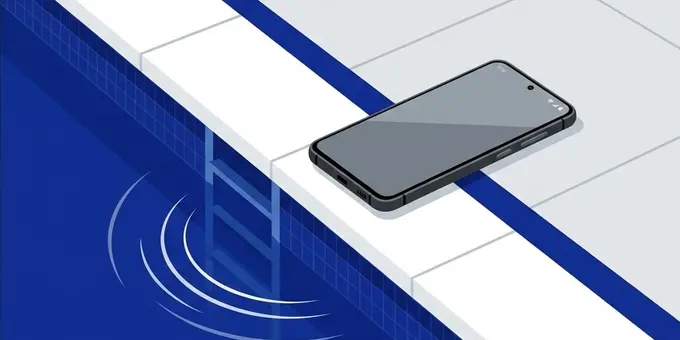
When water enters your smartphone's speaker grille, it doesn't just flow back out. The tiny holes in the mesh create surface tension, holding small droplets of water firmly in place like a microscopic dam. This water blocks sound waves from escaping, which is why your audio sounds muffled, distorted, or painfully quiet after a drop in the pool or the sink.
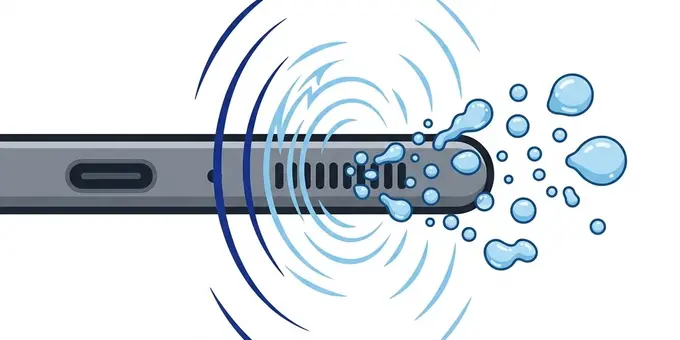
Water eject sounds use specific low frequencies (usually between 150 Hz and 185 Hz) to vibrate the internal speaker membrane. Because low frequencies move a larger volume of air, this rapid back-and-forth movement breaks the surface tension holding the water droplets in place. Once that tension is broken, gravity takes over and the water drips out. This is the exact same acoustic principle Apple engineered into the Apple Watch's built-in water eject feature.
Step-by-Step Water Removal
Follow this routine immediately after a splash to prevent permanent corrosion inside the acoustic chamber:
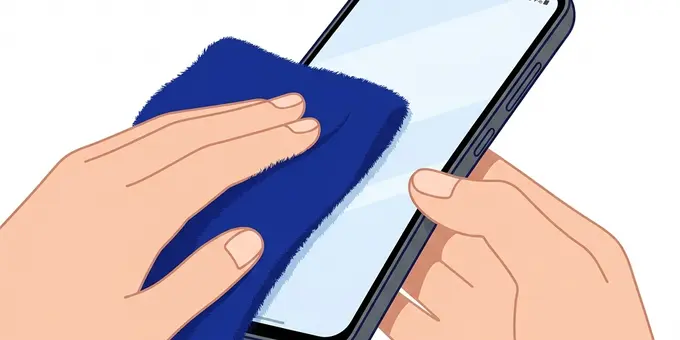
Remove your phone case immediately. Use a soft, dry microfiber cloth to wipe away all surface moisture from the screen, back glass, and frame.
Hold your phone so the affected speaker (usually the bottom) is pointing directly at the floor, letting gravity assist the sound waves.
Set volume to 60%. Press Start on the tool above and let it run for a full 60 seconds. You may see small drops of water physically exit the grille.
Using the Intense Pulse Feature
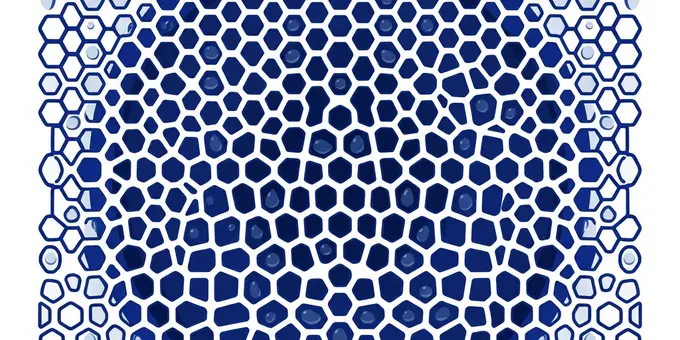
Standard continuous tones work well for light splashes, but heavily saturated speakers might need more force. The Intense Pulse feature (available in the tool above) modifies the sound wave to include sudden amplitude spikes.
Instead of a smooth, continuous push, the Intense Pulse acts like a series of rapid hammer strikes against the water droplets. This sudden acceleration is highly effective at dislodging stubborn water that has worked its way deeper into the acoustic chamber. We recommend running one standard 60-second cycle first, and if the sound is still muffled, run a 30-second cycle with Intense Pulse enabled.
Understanding Water Resistance (IP Ratings)
Modern smartphones are advertised as "water-resistant," but this does not mean they are waterproof. You can usually find a device's water resistance listed as an IP rating (Ingress Protection).
- IP67: Can survive submersion in 1 meter of fresh water for up to 30 minutes. (Common in iPhone X, older Galaxies).
- IP68: Can survive submersion in 1.5 to 6 meters of fresh water for up to 30 minutes, depending on the exact manufacturer spec. (Common in iPhone 12+, Galaxy S21+).
Crucially, IP ratings do not prevent water from entering the speaker grille. The speaker membrane itself is protected by an internal hydrophobic mesh, but the acoustic cavity outside that mesh will still flood with water. This means even a perfectly sealed, brand-new IP68 iPhone 15 will sound completely muffled after going underwater until you eject the trapped liquid.
Signs Your Speaker Has Severe Water Damage
If you've run the Water Eject tool 3 or 4 times and your audio is still having issues, you might be dealing with actual hardware damage rather than just trapped surface water. Here are the symptoms to look out for:
- Constant Crackling: If the audio crackles even at low volumes, the delicate paper or polymer cone of the speaker may have warped or torn after soaking in water.
- Robotic or Metallic Voices: If people sound like robots on speakerphone, the voice coil may be suffering from early-stage corrosion.
- Zero Audio: If absolutely no sound plays, the internal circuitry connecting the speaker to the motherboard may have short-circuited.
If you experience these, stop playing audio immediately to prevent overheating the blown speaker. Let the phone dry in a well-ventilated area for 24 hours. If it still doesn't work, you'll need a hardware replacement.
What NOT to Do When Your Phone is Wet
In a panic, many people accidentally destroy their devices while trying to dry them. Avoid these fatal mistakes:
- The Rice Myth: Never put your phone in rice. Rice does not act as a magical vacuum for moisture. Instead, fine starch dust from the rice will enter the wet speaker grille, turn into a paste, and harden. This permanently damages the speaker.
- Hair Dryers: Never use a hair dryer or heat gun. High heat will melt the internal waterproof adhesive seals, expand the battery, and can actually push water droplets deeper into the phone's circuitry.
- Cotton Swabs and Needles: Do not poke anything into the speaker holes. The protective mesh is fragile and easily punctured.
The Science of Water Ejection (Deep Dive)
If you have ever dropped your phone in a pool, the toilet, or left it out in a heavy rainstorm, you know the sinking feeling of playing a song and hearing a muffled, distant distortion instead of clear audio. But what exactly is happening on a microscopic level? Why does water get stuck, and why doesn't it just drain out?
Surface Tension vs. The Acoustic Chamber
The speaker holes at the bottom of your smartphone are incredibly small—usually less than a millimeter in diameter. When water enters these holes, it encounters a physical phenomenon known as surface tension. Water molecules are cohesive; they like to stick to one another. In a confined space like a tiny speaker grille, the water forms a microscopic "plug" or "dam." This liquid plug acts exactly like a physical wall, completely sealing off the acoustic chamber.
Inside the phone, the speaker consists of a voice coil attached to a thin, flexible cone (or membrane). When you play music, this cone moves back and forth, pushing air out of the grille to create sound waves. But when the grille is plugged with water, the cone is pushing against a sealed column of air and water. Water is not easily compressible, which severely dampens the movement of the speaker cone. This dampened movement is what causes the heavily muffled, quiet audio.
The Apple Watch Solution: Acoustic Ejection
In 2016, Apple introduced the Apple Watch Series 2. It was marketed as "swim-proof," meaning it could be submerged in water. However, the engineers faced a major problem: the built-in speaker required a physical opening to the outside world. To solve this, Apple engineered a brilliant software feature. After a swim, the user turns the digital crown, and the Watch plays a series of specific, low-frequency tones.
Why a low frequency? Because low-pitch sounds (like the 165Hz tone our tool generates) require the speaker membrane to move a significant physical distance. This extreme "excursion" forces the speaker to push a massive volume of air very quickly. The sudden, violent burst of air pressure is strong enough to break the surface tension of the water plug. The water is physically blasted out of the speaker grille, clearing the acoustic chamber and restoring normal sound.
Our Water Eject tool applies this exact same acoustic engineering to your smartphone. By playing a sustained sine wave between 150 Hz and 185 Hz, we force your phone's speaker to act as an air pump, blasting the trapped water out.
Chlorine, Saltwater, and Tap Water: Not All Splashes Are Equal
If your phone gets wet, the speed of your reaction should depend entirely on what kind of water it fell into.
- Tap Water / Fresh Water: This is the least dangerous. While tap water does contain trace minerals, it is relatively clean. Using the water eject tool within a few hours will usually save the speaker completely.
- Pool Water (Chlorinated): Chlorine is a highly reactive chemical. If chlorinated water sits inside your speaker grille for days, it can begin to eat away at the rubber suspension surrounding the speaker membrane. You should run the water eject tool immediately after getting out of the pool.
- Ocean Water (Saltwater): This is the most catastrophic scenario. Saltwater is highly corrosive and extremely conductive. If saltwater dries inside your phone, it leaves behind abrasive salt crystals. These crystals will permanently tear the delicate paper or polymer speaker cone the next time you play loud music. Furthermore, saltwater can rapidly corrode the internal electronics. If you drop your phone in the ocean, you must eject the water immediately, and it is highly recommended to gently rinse the grille with clean fresh water, then run the ejector tool again to ensure absolutely no salt residue remains.
Why the Hair Dryer Method Fails
A common instinct when trying to dry a wet phone is to point a hot hair dryer directly at the speaker holes. This is arguably the fastest way to destroy your device.
First, the extreme heat from a hair dryer will melt the waterproof adhesive seals holding your phone's screen and back glass together, completely ruining its IP water resistance rating. Second, blowing air into the speaker grille actually pushes the water droplets deeper into the acoustic chamber, potentially forcing liquid past the internal hydrophobic mesh and directly onto the unprotected motherboard. Third, extreme localized heat can warp the plastic speaker cone, causing permanent crackling distortion. Always use sound waves to push water out, never use air pressure to push it in.
Foire Aux Questions
Should I use water eject sound immediately after a splash?
If the device is working and only the speaker sounds muffled, yes. Run it to eject the water quickly. However, if the phone was fully submerged for a long time or behaves strangely, power it off and let it dry completely first.
Why should the speaker face down?
The tone vibrates the trapped droplets, breaking their surface tension. Gravity then pulls them out of the grille. If the speaker faces up, the vibration might push the droplets further into the device.
Does this dry the charging port too?
No. Water eject sounds only target the physical speaker membrane. Charging ports do not have moving parts and must be dried with time, gravity, and airflow. Never blow forcefully into a wet charging port.