
How to Clean Your Phone and Other Devices
Phones are handled hundreds of times a day and accumulate oils, bacteria, dust, and debris on every surface. A proper cleaning routine covers the screen, speakers, ports, buttons, and case without introducing moisture or abrasion that could damage the device.
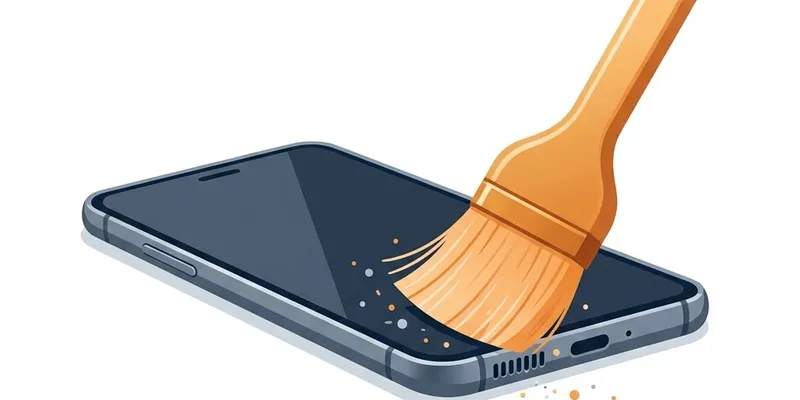
Cleaning the Screen Safely
Power off the phone or lock the screen before cleaning to prevent accidental inputs and to make smudges more visible against the dark display. Use a dry microfiber cloth—the same type used for eyeglasses or camera lenses—and wipe in gentle circular motions across the entire screen surface. Microfiber lifts oils through electrostatic attraction rather than smearing them, which is why paper towels and tissues leave streaks.
For stubborn fingerprints or dried spots, lightly dampen one corner of the microfiber cloth with distilled water. Do not use tap water, which contains minerals that leave a film as it dries. Wipe the screen with the damp section, then immediately follow with the dry section to remove any remaining moisture. Never spray liquid directly onto the screen because it can seep into the edges and reach internal components.
Apple states that 70 percent isopropyl alcohol wipes and Clorox disinfecting wipes are safe for iPhone glass surfaces as of iPhone 6s and later. Wipe gently and avoid the speaker grilles, microphone ports, and charging port. Samsung provides similar guidance for Galaxy phones with Gorilla Glass. Avoid window cleaners like Windex, bleach solutions, hydrogen peroxide, and abrasive cleaners, all of which can strip the oleophobic coating that makes the screen fingerprint-resistant.
The oleophobic coating on phone screens degrades naturally over 12 to 18 months of daily use, but harsh chemicals accelerate its breakdown. Once the coating is gone, fingerprints appear more prominently and the screen feels less smooth to the touch. Some users apply aftermarket oleophobic coating solutions, but these are temporary and need reapplication every few months.
Speaker and Microphone Grille Cleaning
Phone speakers and microphones are the most delicate areas to clean because the mesh is thin and the components behind it are sensitive to pressure and moisture. Always hold the phone with the grille facing downward during cleaning so that dislodged particles fall away from the device. A soft-bristle brush is the safest tool—work in short, gentle strokes across the grille surface.
The bottom speaker grille on most phones has multiple rows of small holes. Brush across the rows rather than along them to avoid pushing debris from one hole into the next. After brushing, inspect the grille under bright light or a magnifying glass to check for remaining particles. Compacted lint that does not come loose with brushing can sometimes be lifted with a small piece of poster putty pressed gently against the grille.
Microphone ports are smaller than speaker grilles and are located in different spots depending on the phone model. The iPhone has three microphones: bottom edge next to the speaker, front face near the earpiece, and rear camera area. Samsung Galaxy phones have similar placements. Brush each microphone port gently, but do not insert anything into the tiny opening—microphone diaphragms are extremely fragile.
After cleaning all grilles, run a quick audio test to confirm improvement. Play a voice memo or podcast at moderate volume and listen for clarity. Then record a short voice memo and play it back to verify the microphones are working properly. Muffled recordings after cleaning could indicate debris pushed deeper into a microphone port, which would need professional attention.
Charging Port Maintenance
The charging port collects more pocket lint than any other opening on the phone because it is a deep, narrow cavity that faces downward in most pants pockets. Over time, lint compacts at the back of the port and prevents the charging cable from seating fully, causing intermittent charging, slow charging, or no charging at all. This is often mistaken for a faulty cable or battery problem.
To clean the charging port, power off the phone and use a wooden or plastic toothpick to gently scrape along the back wall of the port. Do not use metal tools—the charging contacts inside the port are gold-plated copper, and a metal pick can scratch the plating and create rough spots where corrosion starts. Work the toothpick from one side to the other in a single direction, lifting compacted lint up and out.
You may be surprised by the amount of lint that comes out, especially if the port has never been cleaned. A phone that has been in a lint-producing pocket for six months or more can yield a visible ball of compressed fiber. After removing the bulk, use the soft-bristle brush across the port opening to clear remaining fragments.
Inspect the port under bright light after cleaning. The contacts should be visible as a row of small gold or silver pins at the back of the cavity. If any pins appear dark, bent, or corroded, the port may need professional service. Corroded contacts will not be fixed by cleaning and may need component-level replacement.
Cleaning Phone Cases and Accessories
Phone cases trap moisture, lint, and grit between the case and the phone body, creating a micro-environment that can accelerate wear on the phone's finish and block speaker or microphone ports. Remove the case at least once a month and clean both the case interior and the phone's back surface. Wipe the phone's back with a dry microfiber cloth and inspect for any debris stuck around the camera bump or button cutouts.
Silicone and rubber cases can be washed with warm water and a small amount of mild dish soap. Scrub with a soft cloth, rinse thoroughly, and let the case air-dry completely before putting it back on the phone. Putting a damp case on the phone traps moisture against the phone's surface, which can seep into button gaps or speaker grilles.
Leather cases should not be washed with soap and water. Instead, wipe them with a dry or very lightly damp microfiber cloth. Apple's leather cases are treated with a finish that develops a patina over time, and water can leave permanent dark spots. Third-party leather cases vary in treatment, so check the manufacturer's care instructions.
Clear plastic cases yellow over time due to UV exposure and body oils, and no amount of cleaning can fully reverse the discoloration. If a clear case has become noticeably yellow, it is time to replace it. Yellowed plastic is also usually stiffer and more brittle than new plastic, which means it provides less impact protection. Budget for a new clear case every six to twelve months if appearance matters to you.
Establishing a Cleaning Routine
A weekly light cleaning takes less than five minutes and prevents the kind of heavy buildup that requires aggressive intervention. Each week, wipe the screen with a dry microfiber cloth, brush the speaker grilles, and wipe the back of the phone. This basic routine keeps the phone hygienic and maintains speaker clarity without any risk of damage.
A monthly deep cleaning adds the charging port, microphone ports, case removal and washing, and a speaker cleaner tone session. Set a recurring reminder on the first of each month. The deep clean takes about ten minutes and covers every surface and opening on the phone. This is also a good time to inspect the phone for hairline cracks, loose buttons, or other developing hardware issues.
Keep your cleaning supplies together in one place: a microfiber cloth, a soft-bristle brush, a wooden toothpick, and optionally a small container of poster putty. Having everything accessible removes the friction that makes people skip cleaning. A small zipper pouch in a desk drawer works well.
If you use your phone in a high-contamination environment—kitchen, workshop, medical setting, or outdoor sports—adjust the frequency upward. Kitchen phones accumulate cooking grease that bonds to speaker mesh and is harder to remove than dry lint. Workshop phones pick up fine metal filings that can be attracted to the speaker magnets. Medical setting phones should be disinfected with approved wipes after every shift for hygiene reasons.
Cleaning Other Devices: Tablets and Smartwatches
Tablets follow the same cleaning principles as phones, scaled up for the larger surface area. iPads and Samsung Galaxy Tabs have speaker grilles along the edges that collect dust from desks and bags. Brush these grilles with the same soft-bristle brush used for phones. The larger speaker drivers in tablets are more tolerant of debris than phone speakers, but compacted dust still reduces volume and clarity over time.
Smartwatches, especially the Apple Watch, need special attention because they are worn against skin and exposed to sweat constantly. Clean the Digital Crown regularly by rinsing it under a thin stream of warm water while turning it—Apple recommends this in their official support guide. The small gap around the crown accumulates dried sweat and skin cells that can make it sticky or unresponsive.
The Apple Watch speaker port, located on the left side of the case, should be brushed gently after workouts. If the watch was used during swimming, activate Water Lock mode and then turn the Digital Crown to eject water before brushing. Never insert tools into the speaker port because the driver is millimeters behind the opening.
For AirPods Max headphones, wipe the ear cushions with a lint-free cloth dampened with a small amount of water. The mesh canopy headband can be brushed with a soft brush to remove hair and lint. Do not submerge any part of the AirPods Max, as they have no water resistance rating despite their premium price point. The speaker drivers inside the ear cups should not be touched or cleaned by the user—they are protected behind perforated metal covers that should be left intact.