
Why Does My Speaker Sound Muffled?
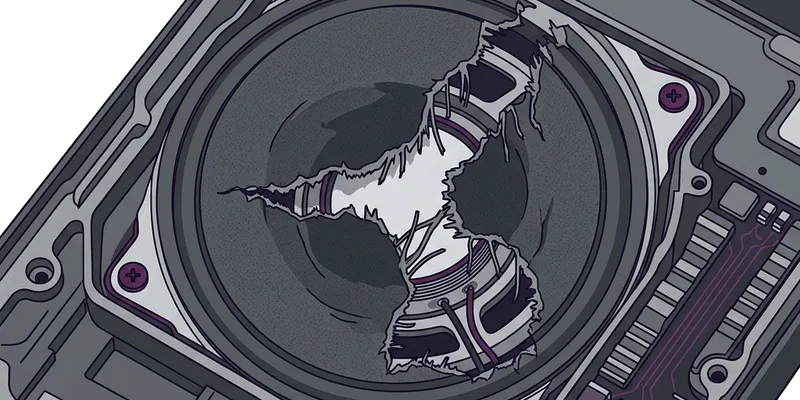
Muffled sound is often a blockage problem. Dust, lint, water, a tight case, or a dirty screen protector can absorb high frequencies and make audio feel dull.
Fix the Simple Blockers
Remove the phone case and any cover that sits near the speaker grille.
Brush the grille lightly with a clean, dry, soft-bristle brush.
Run the speaker cleaner mode for one minute, then test speech and music again.
Check Settings
Disable mono audio if stereo playback sounds collapsed.
Reset EQ presets if music sounds boomy or muddy.
Restart the device if the muffled sound began after an app froze or a Bluetooth device disconnected.
How to Confirm the Fix
Play spoken audio first because muffled speech is easier to judge than loud music.
Then run the sound test mode at moderate volume and listen for clear highs without buzzing.
Case and Screen Protector Problems
Thick protective cases are one of the most overlooked causes of muffled audio. Cases with a lip that wraps around the bottom edge of the phone can partially cover the speaker grille, reflecting sound waves back into the enclosure and cutting high-frequency output by as much as 30 percent. OtterBox Defender and similar rugged cases have speaker cutouts, but lint and debris accumulate in the gap between the case and the grille over time.
Tempered glass screen protectors occasionally extend slightly past the edge of the display and cover the earpiece speaker slit at the top of the phone. This is especially common on iPhone 14 and iPhone 15 models where the earpiece grille sits within millimeters of the display edge. If phone calls sound muffled but speakerphone mode sounds fine, check whether the screen protector is overlapping the earpiece opening.
Some wallet-style and folio cases fold a flap of material directly over the speaker when closed. Even when the flap is open during use, residual adhesive or magnetic closure pads near the speaker area can attract metallic dust particles that cling to the speaker mesh. Remove the case entirely and test the audio. If clarity improves immediately, the case design is the issue.
If you need heavy protection, look for cases that use open-channel speaker ports rather than sealed cutouts. Brands like Spigen and Caseology often design a wide U-shaped channel at the bottom that directs sound outward instead of trapping it. After installing any new case, always run a quick audio test to confirm the speaker output has not changed.
Muffled Sound After a Software Update
Both iOS and Android updates occasionally introduce audio processing changes that alter speaker output. iOS 17 introduced Adaptive Audio for AirPods, but it also changed how the system routes audio when AirPods are nearby but not in use. If your iPhone detects AirPods in an open case on your desk, it may route audio to them silently, making the phone speaker seem muffled when it is actually not playing at all. Check Control Center to verify the audio output destination.
Android updates, especially Samsung One UI major version upgrades, can reset sound profiles and enable Dolby Atmos or Adapt Sound without user action. These processing modes apply frequency shaping that may sound muffled on the phone's built-in speaker, even though they are designed for headphone listening. After any major update, go to Settings, then Sounds and Vibration, then Sound Quality and Effects, and review every toggle.
A factory reset is the nuclear option but it definitively rules out software as the cause. Before resetting, back up your data and try a less destructive step: on iPhone, go to Settings, then General, then Transfer or Reset iPhone, then Reset, then Reset All Settings. This restores all system settings to defaults without deleting apps or data. On Samsung, the equivalent is Settings, then General Management, then Reset, then Reset All Settings.
If the muffled sound appeared immediately after an update and a settings reset does not help, check if other users report the same issue. Apple and Samsung both maintain community support forums where audio bugs are reported within hours of an update release. A patch may already be available or in development, and downgrading is sometimes possible on Android through manual firmware flashing.